The Goal
Ninja Olympus is a dynamic LMS platform that orchestrates diverse learning activities and accomplishes numerous tasks throughout the learning journey. Ninja is a game-changer for our users, but remember, "We thrive on change because evolution leads to greatness."
The main goal is to Enhance Program Managers' efficiency and bandwidth, enabling them to handle more learners with the same effort and reducing delivery operation costs.
Process
I follow a structured design process for all projects, ensuring consistency and optimal results.
- Research & Discovery
Understand project requirements, goals, audience, and trends. - Ideation & Conceptualisation
Generate ideas, create sketches, and explore possibilities. - Design Development
Refine concepts, create mockups, and iterate based on feedback. - Feedback & Iteration
Gather stakeholder and user feedback for improvements. - Finalisation & Delivery
Polish designs and prepare for implementation/presentation.
Research & Discovery
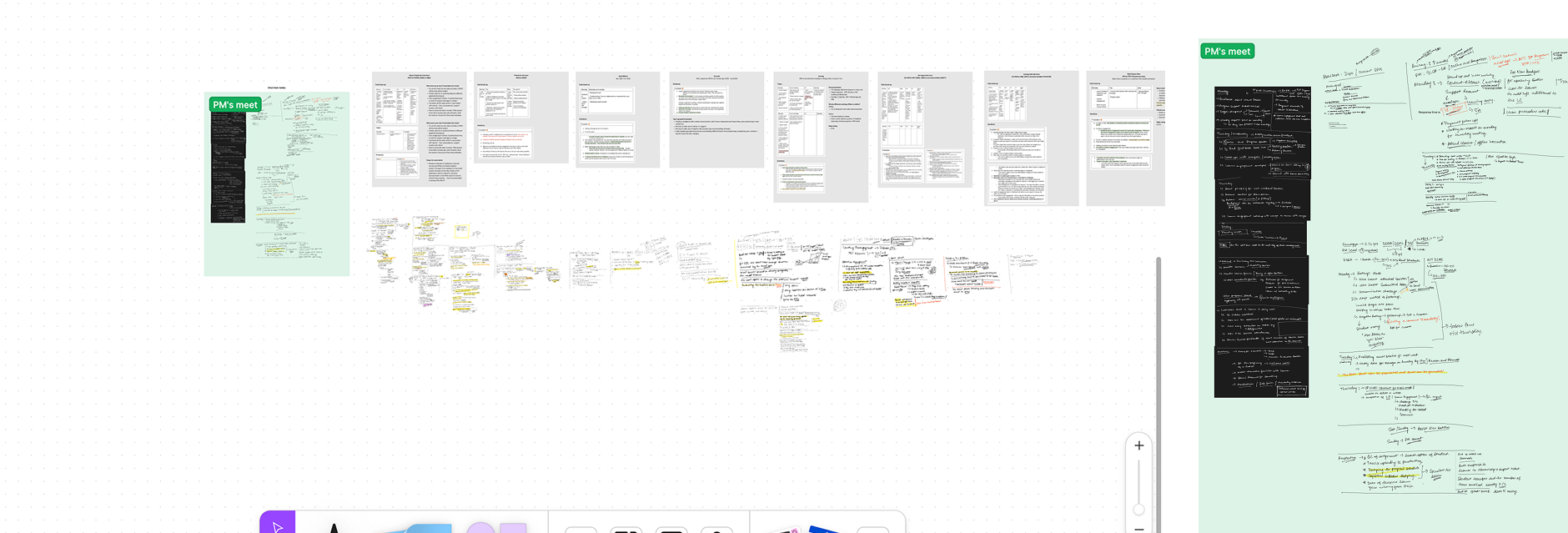
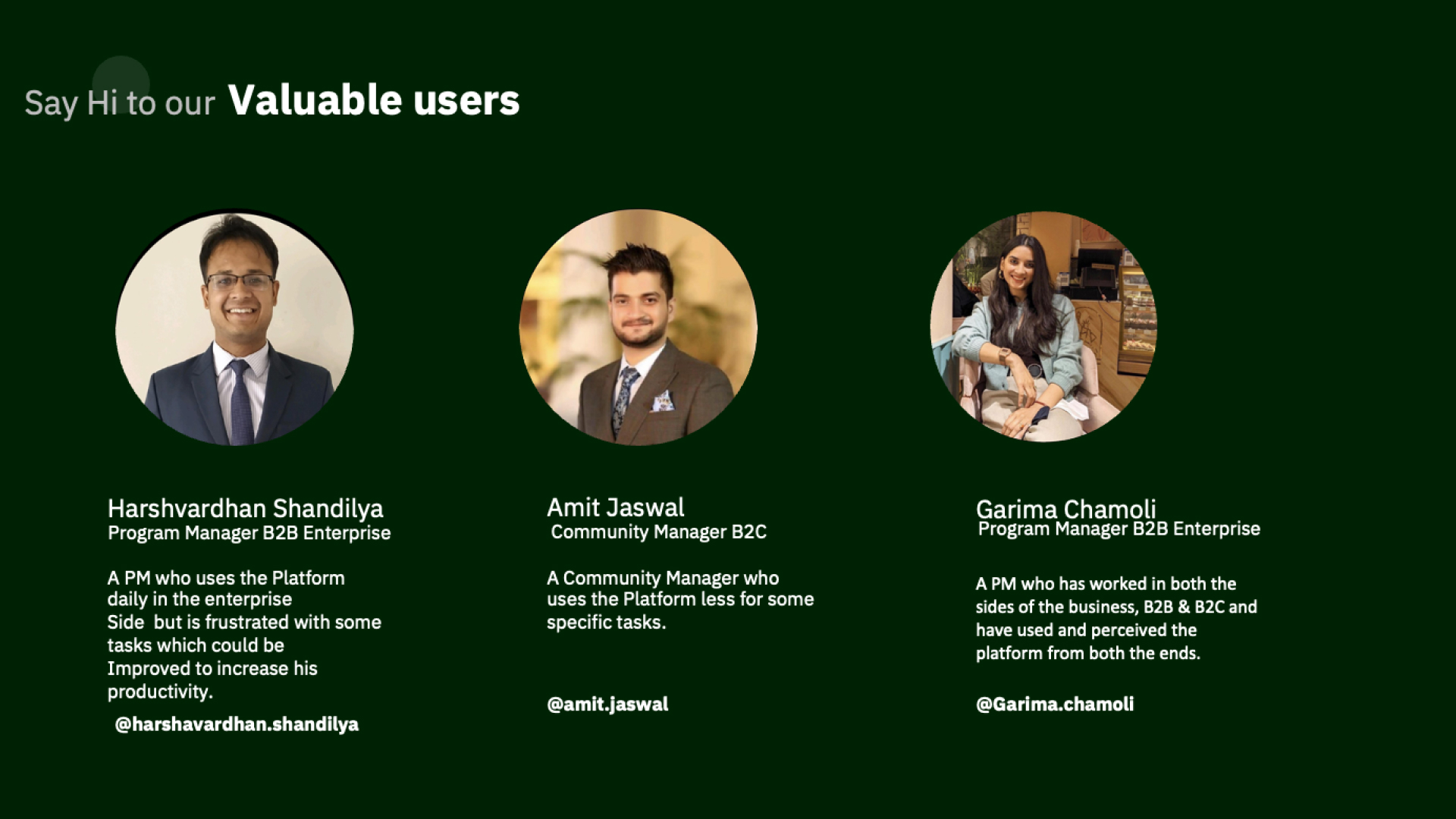
During our research and discovery phase, I engaged with approximately 20 Program Managers, along with 5 Business Unit (BU) heads and Senior Program Managers. Additionally, we distributed a questionnaire to the larger team to gather quantitative insights.
- Scattered communication & follow-up history
- Incomplete logs of actions taken
- Missing information impeding progress tracking
- Lack of visibility affecting scalability
- Difficulty in aligning cross-team/PM workflows
- No automation for “at risk” segments
Discovery Insights
Discovery, for Support Ticket
WHAT WE DID
- We observed the process of program managers to resolve the tickets
- We connected with them through interviews
- Took their feedback and heard their pain points
KEY OBSERVATIONS
- Resolving tickets within TAT is a KRA for PM growth
- Ticket resolution can be improved at multiple steps for a smoother experience
- Automation and small tweaks can enhance UX and reduce ticket closing time
Discovery, for Importing of the Content
WHAT WE DID
- We observed the process of program managers to import the content
- We connected with them through interviews
- Took their feedback and heard their pain points
KEY OBSERVATIONS
- Content is imported weekly or daily, but the journey is not user-friendly
- Process can be optimized to save time and improve efficiency
- Minor tweaks can significantly improve user experience
Discovery, for Planning/Delete the Session
WHAT WE DID
- We observed the process of planning the sessions
- We connected with them through interviews
- Took their feedback and heard their pain points
KEY OBSERVATIONS
- Sessions are conducted daily or weekly with learners
- Session planning process is complex and overwhelming
- This increases the risk of errors and planning incorrect sessions
Findings during the research are:
- Context, communication & follow-up history for a learner is scattered.
- Log of actions taken are not maintained in all cases.
- Missing information makes it difficult to report and track progress.
- It is difficult to:
- Forecast and scale due to lack of ground-level visibility.
- Align across teams or PMs efficiently.
- Automate workflows specific to a segment (e.g., “at risk”).
- Forecast and scale due to lack of ground-level visibility.
- Align across teams or PMs efficiently.
- Automate workflows specific to a segment (e.g., “at risk”).
Ideation & Conceptualisation
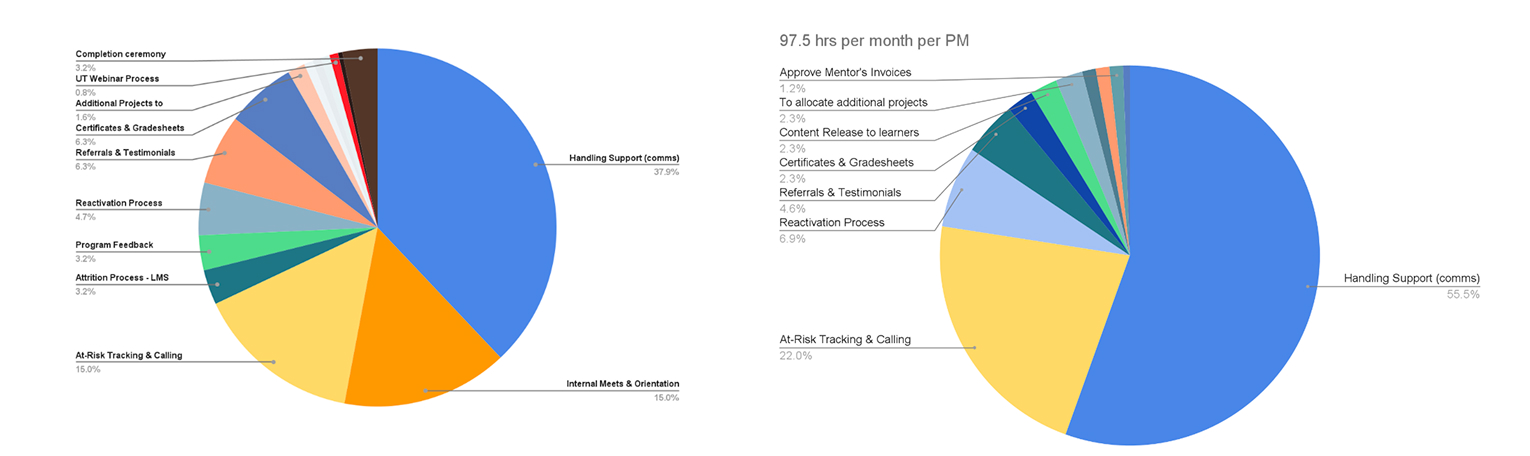
As part of this initiative, we have identified key areas of focus. The larger team has agreed to categorise tasks into two types: those related to communication and those not related to communication:
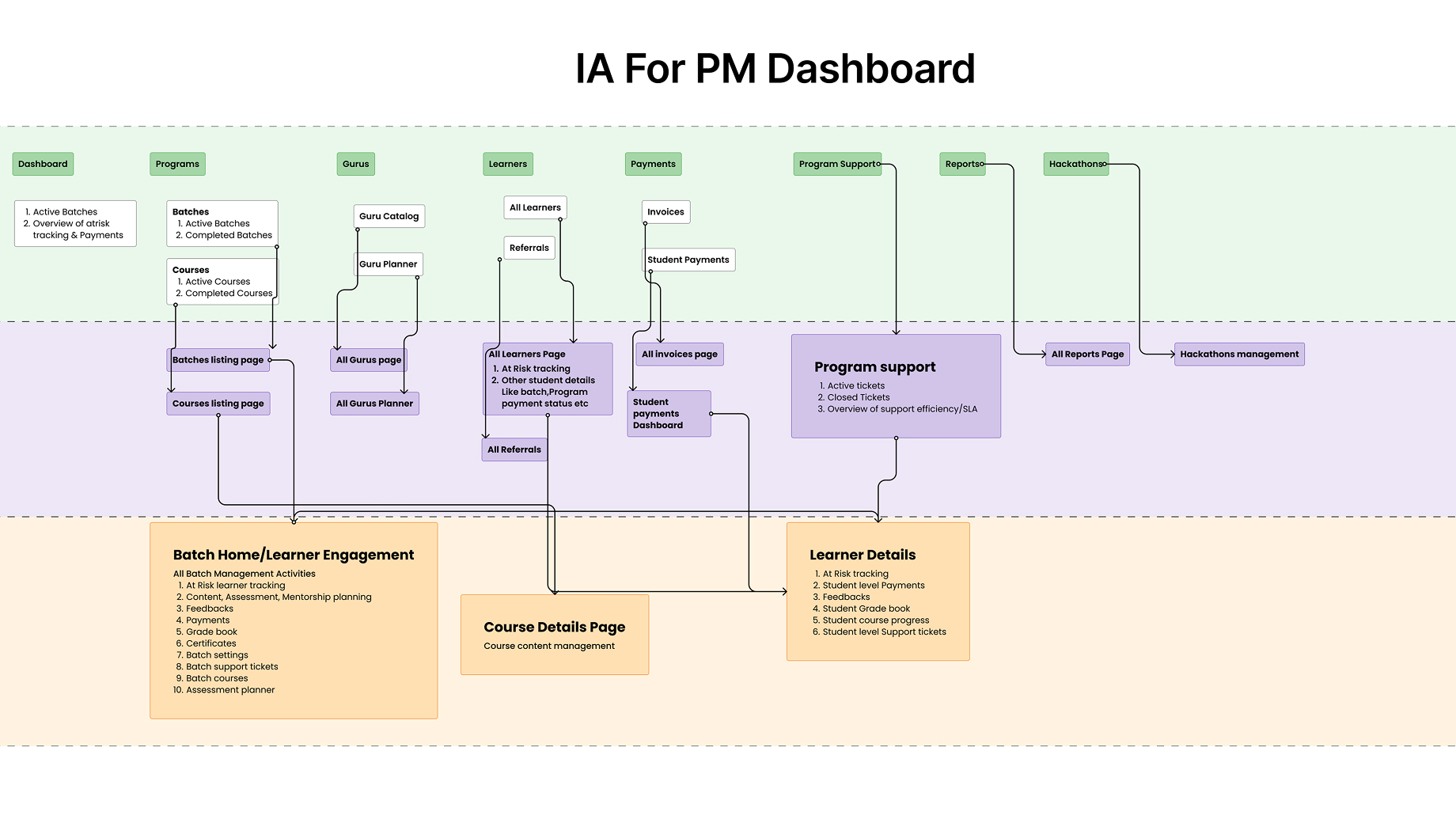
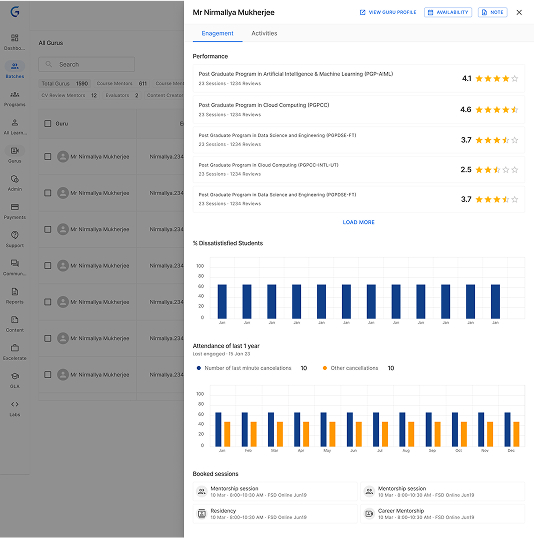
- Improve the Olympus dashboard for Program Managers by adding learner, batch, and global views to simplify their daily tasks.
- Develop an email sync and tracking feature for seamless communication between Program Managers and learners.
- Create a Jedi mobile app for Program Managers to monitor calls with learners.
- Implement notification and alerts on the new dashboard to assist Program Managers.
- Gather data on Program Manager activities at learner, batch, and global levels.
- Use the collected data to identify and track tasks for Program Managers, focusing on communication and non-communication activities.
Things we are Going to focus on
Simplify
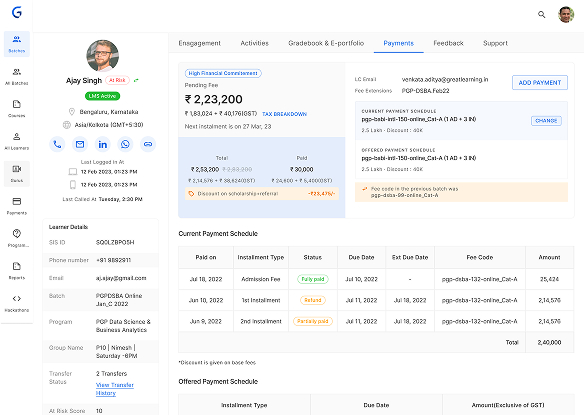
- 360 degree view of learner information
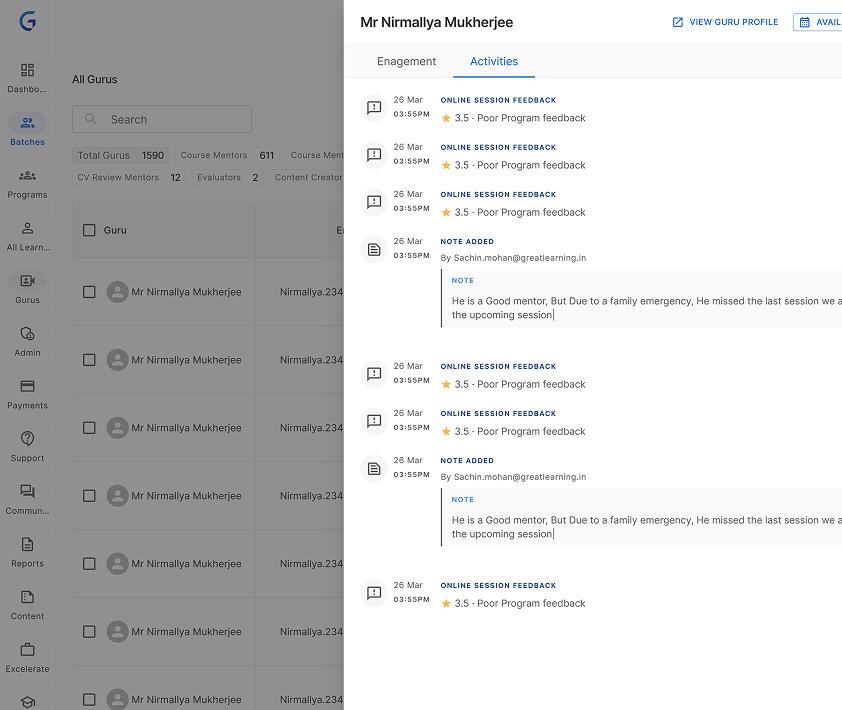
- Activity Marking & History
- Navigation
Making KRA’s Tracking Eas
- Performant Learner Engagement Sheet
- Filters and Custom views
- Track progress on leakage control, collections, reactivation, referrals and more
Clarity
- Logging emails, phone & WhatsApp calls
- Assess learning & financial commitment
- More Information (transfer history)
Automate
- Segment Learners, email with one-click
- Follow-up reminders
Design & Development
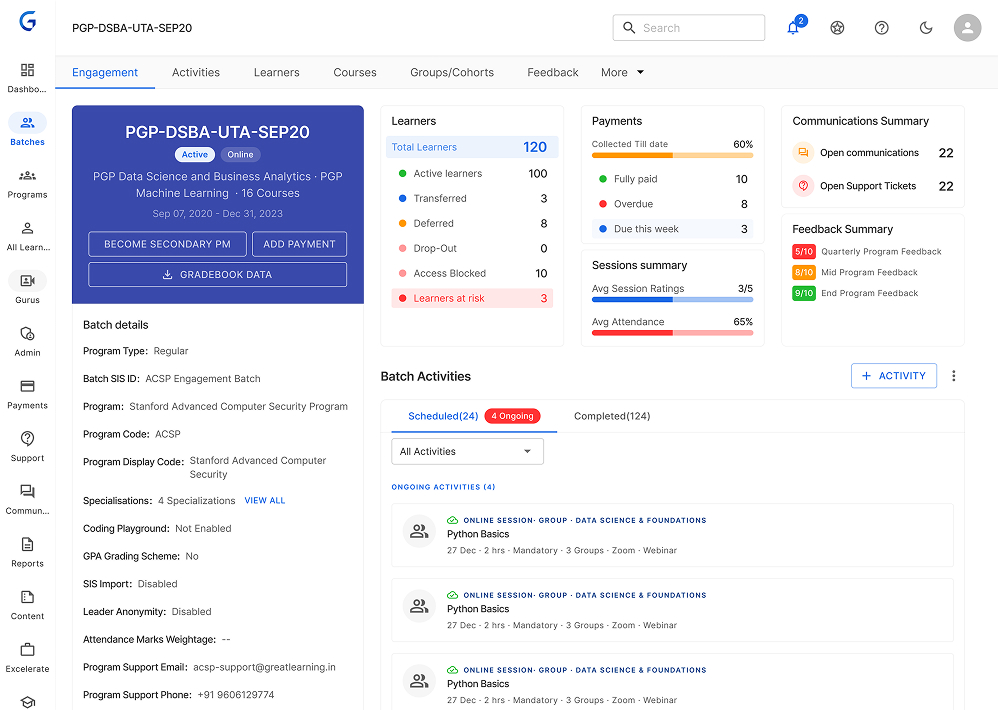
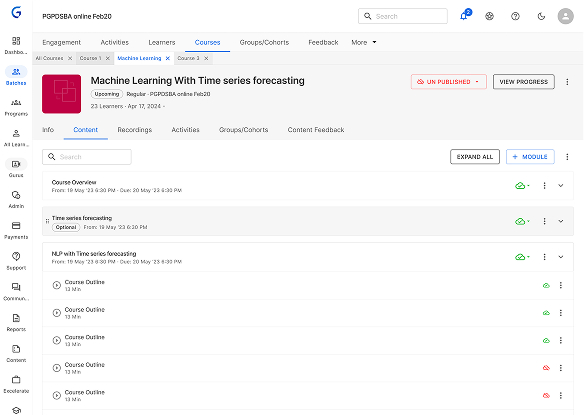
After gathering feedback from key stakeholders, we have chosen to utilise MUI.com as our frontend platform. This decision is based on its use of material library components in React and its reputation for reliability. so we’ve setup a library with material design components it helped us to speedup the development process and Design process. Because of the availability of components not only for Designers it is available for Developers
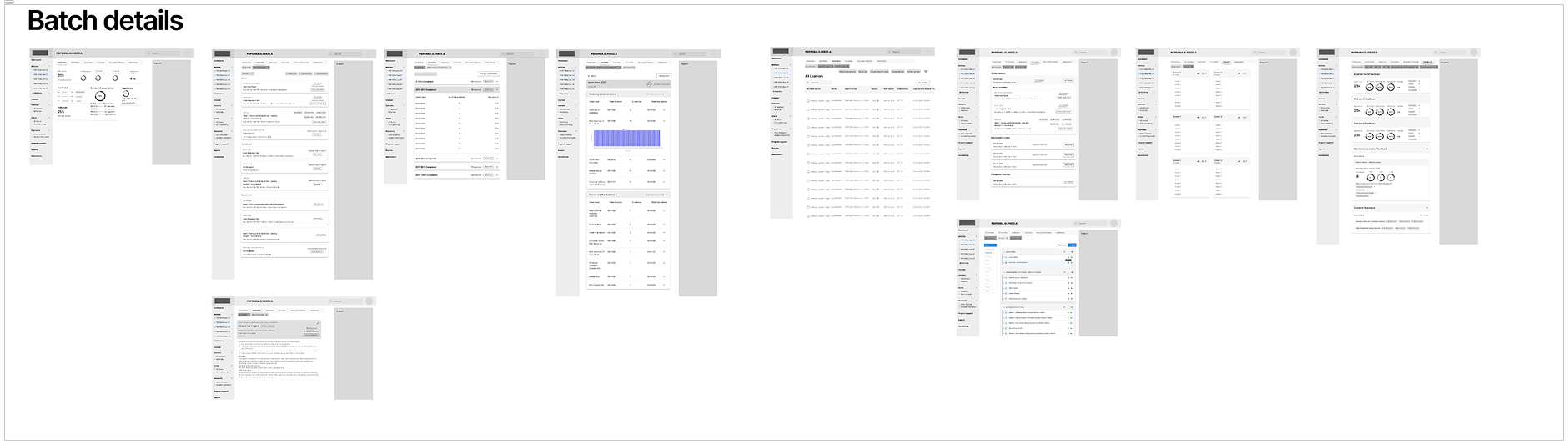
lo-fi Designs
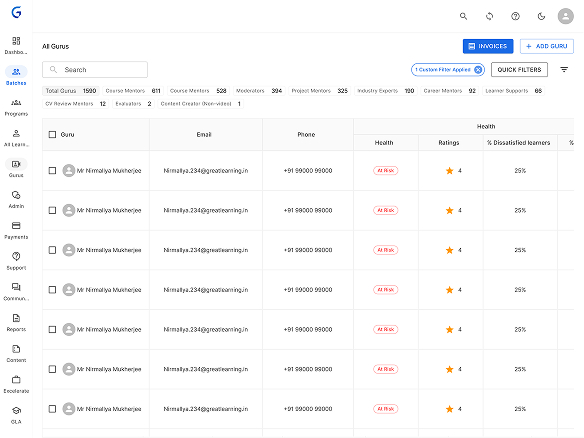
Hi-fi designs
Feedback & Iteration
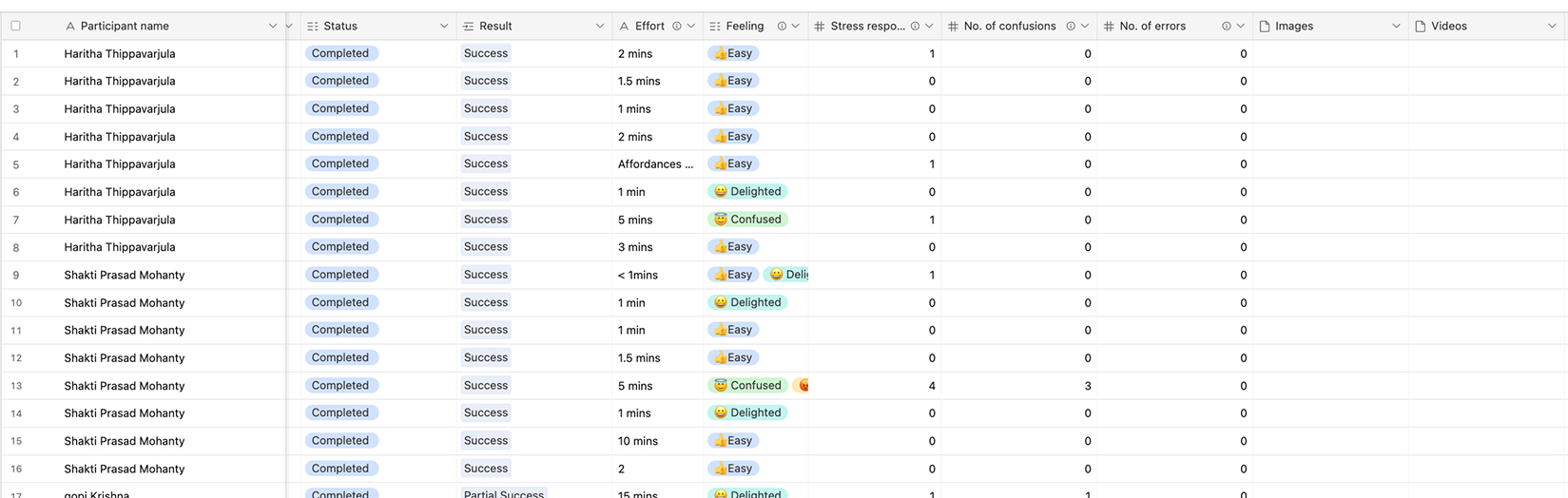
Before the release, we conducted a comprehensive usability test and gathered feedback from stakeholders. While the findings were satisfactory, I identified several areas for improvement. One of these areas is the heavy font sizes in the table, which was due to their usage patterns as users wanted to view more data in a single view. Additionally, I have identified several other improvements.
Finalisation & Delivery
After the release, myself and the product team collaborated with several experimental teams to assess the improvements in the number of learners each Program Manager (PM) could handle.
We encountered some challenges in managing daily use cases, prompting us to create shortcuts in the form of Quick Filters for these users. Due to their demographics, the advanced filters were deemed too complex. Subsequently, they requested additional filters.
Within a span of 3 months, we observed a 50% improvement through tracking and analysis. Consequently, some teams are now planning to increase their team's learner capacity to 200. Prior to this product, the typical size of idle learners per program manager was 100-120.
Results
- 50% increase in learner handling capacity per PM
- Teams expanding from 100–120 to 200 learners per PM
- Reduction in ticket resolution time
- Enhanced visibility for planning and communication
- Logged emails, calls, and WhatsApp interactions
- Tracked learning & financial commitment
- Segmented learners with one-click actions
- Introduced follow-up reminders and sync tools